
Refund status follow-up
Priority: High • E-commerce
Platform Overview
HelpDeckly unifies inboxes, AI-assisted replies, workflows, and reporting so support teams can move faster, stay aligned, and deliver better service without added complexity.
Shared Inbox
Platform dashboard snapshot
Refund status follow-up
Priority: High • E-commerce
Billing access request
Assigned to Olivia • SaaS
Onboarding checklist question
Auto-suggested answer available
First response
1m 48s
SLA met
98.6%
Platform capabilities
From inbox to resolution, each capability works together so teams can move faster without losing structure.
Keep every conversation, owner, and update visible in one place for the whole team.
Send requests to the right people faster with clear ownership and automation.
Support agents get helpful reply suggestions that speed up work without losing control.
Reduce repetitive tasks with rules, triggers, and follow-up actions.
Turn common answers into reusable help that supports both customers and agents.
Track response patterns and team activity with easy-to-read support insights.
Platform Deep Dive
HelpDeckly keeps queues visible, ticket context intact, and handoffs clean so teams can move faster without losing customer history.
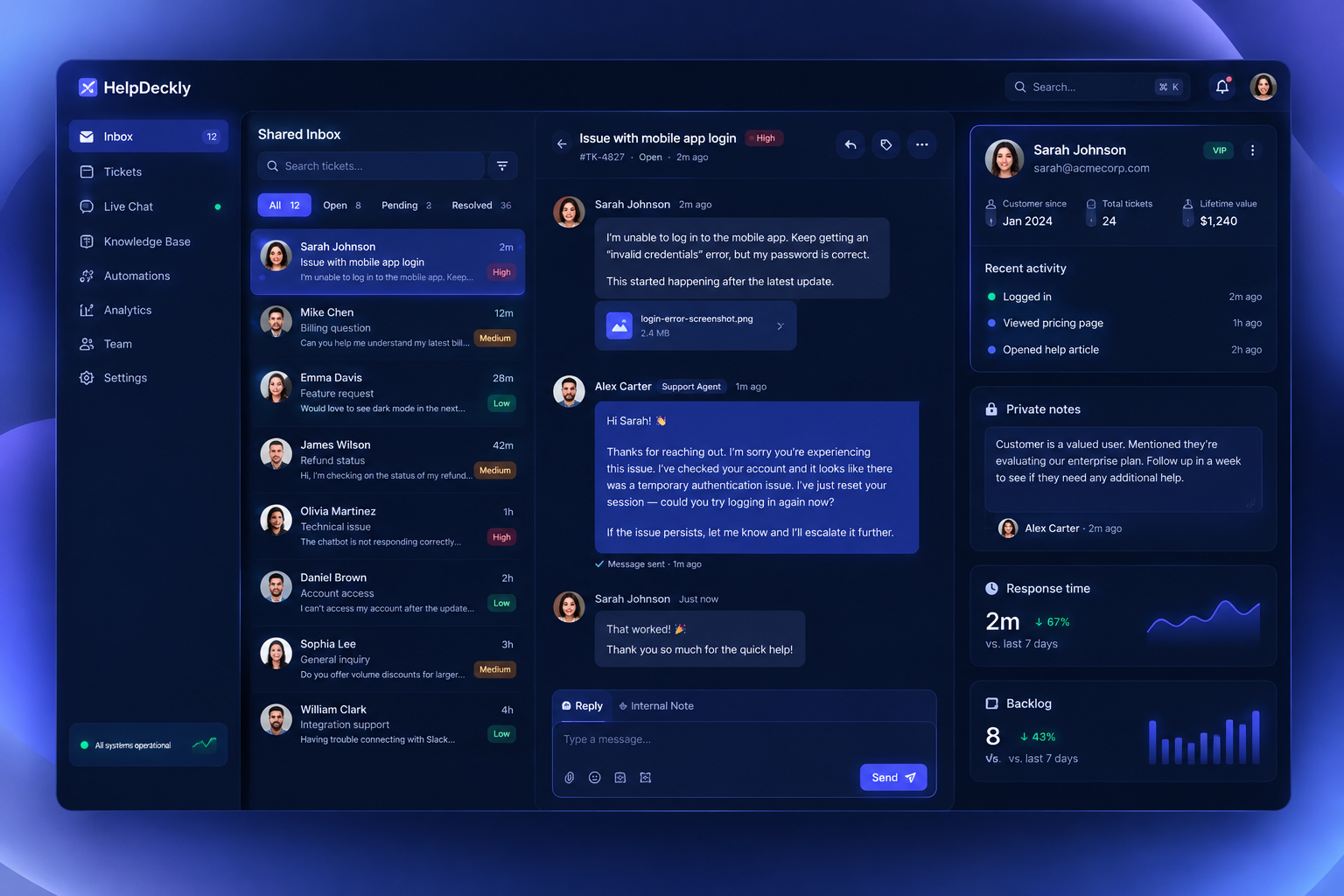
Priority, channel, and SLA status stay visible in one inbox so urgent requests are spotted early and assigned quickly.
Every ticket keeps conversation history, customer profile, and related events together, reducing repetitive back-and-forth.
Private notes and clear ownership make handoffs predictable, so teammates coordinate without exposing internal chatter to customers.
Live trends show first-response time, resolution speed, and backlog risk so managers can rebalance workload before delays grow.
Platform FAQ
Practical answers to help you evaluate HelpDeckly quickly and confidently.
Most teams are live in a day. You can connect channels, import conversations, and start routing tickets without heavy implementation work.
Yes. The workspace is built for quick adoption, so agents can learn queues, notes, and ownership flows in one guided session.
HelpDeckly keeps daily work organized with shared inbox views, clear ownership, and automation rules that reduce manual sorting as volume climbs.
AI drafts replies, suggests next steps, and speeds up routine responses while your team reviews, edits, and sends with full control.
Built-in dashboards make trends easy to spot across response times, backlog, and team workload so you can coach faster and plan with confidence.